
Introduction: When Your WiFi Acts Like a Bad Punchline
You know the scene. You settle into your favorite corner of the house, coffee in hand, ready to binge that show everyone’s talking about. Then it happens. The spinning wheel of doom. Your streaming buffer turns into a comedy of errors, and your well-timed joke lands on dead air. WiFi dead zones are the punchline nobody asked for.

But here’s the thing. Laughter actually helps. Studies show that a good laugh lowers stress hormones and boosts endorphins, making those tech frustrations a lot easier to handle. According to the Mayo Clinic, laughter is powerful stress-relief medicine. So instead of throwing your wireless router out the window, why not laugh at the absurdity of it all?
This listicle takes a different approach. We’re mixing practical tips for boosting your wifi signal strength with a comedic twist. You’ll learn how an internet extender or a new wifi box can save your sanity, and you’ll get a few chuckles along the way. Because even when your WPS wifi button seems to have a mind of its own, a little humor makes the fix feel lighter.
Ready to turn those dead zones into punchlines? Let’s start with a look at some truly funny WiFi disasters that prove your router might be the funniest thing in your home. And if you want a full dose of laughter while you troubleshoot, check out The Ridiculous, a sci-fi comedy that’s perfect for your next coffee break. Read Book 1 on Amazon and keep the good vibes flowing.
1. The Signal Dance – Move Your Router to Center Stage
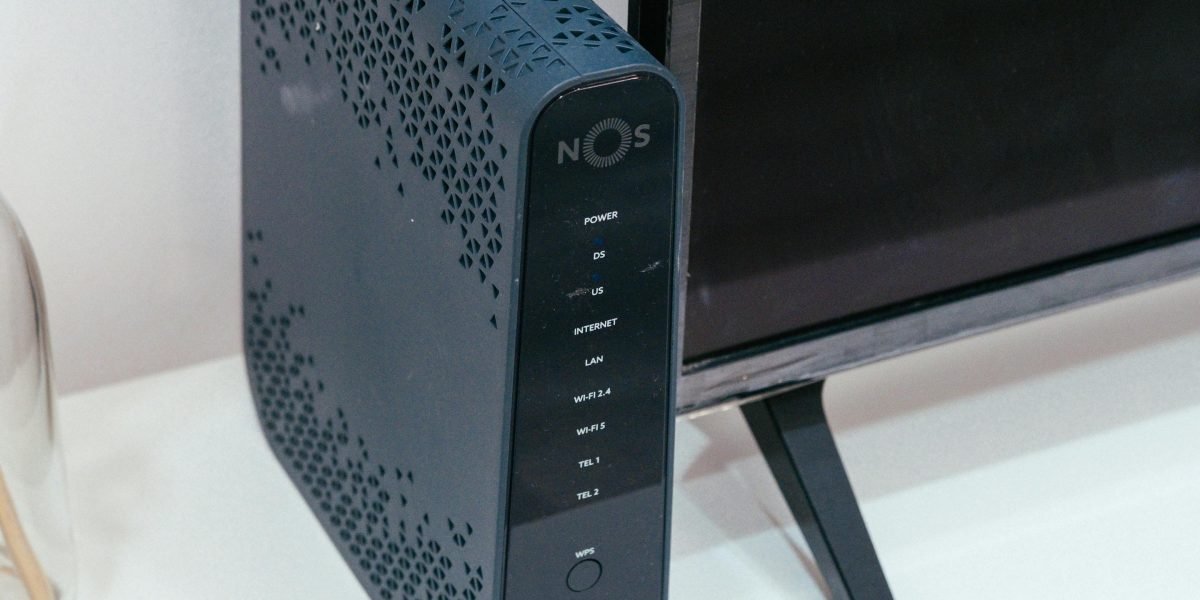
Here is the most common WiFi mistake people make. They hide their wireless router behind the TV, inside a cabinet, or in a corner closet. It looks clean, sure. But your wifi box is now screaming for help from behind a wall of metal and wood.
Your router sends signals out in all directions. If you trap it behind furniture or stick it in a basement corner, you are basically asking for dead zones. According to TP-Link, the best spot is out in the open, on a table or shelf, at a height where nothing blocks the signal. That means no cabinets, no metal shelves, and definitely no fish tanks nearby.
Here is the fix. Pick up your router and do a little dance with it. Move it to a central spot in your home.
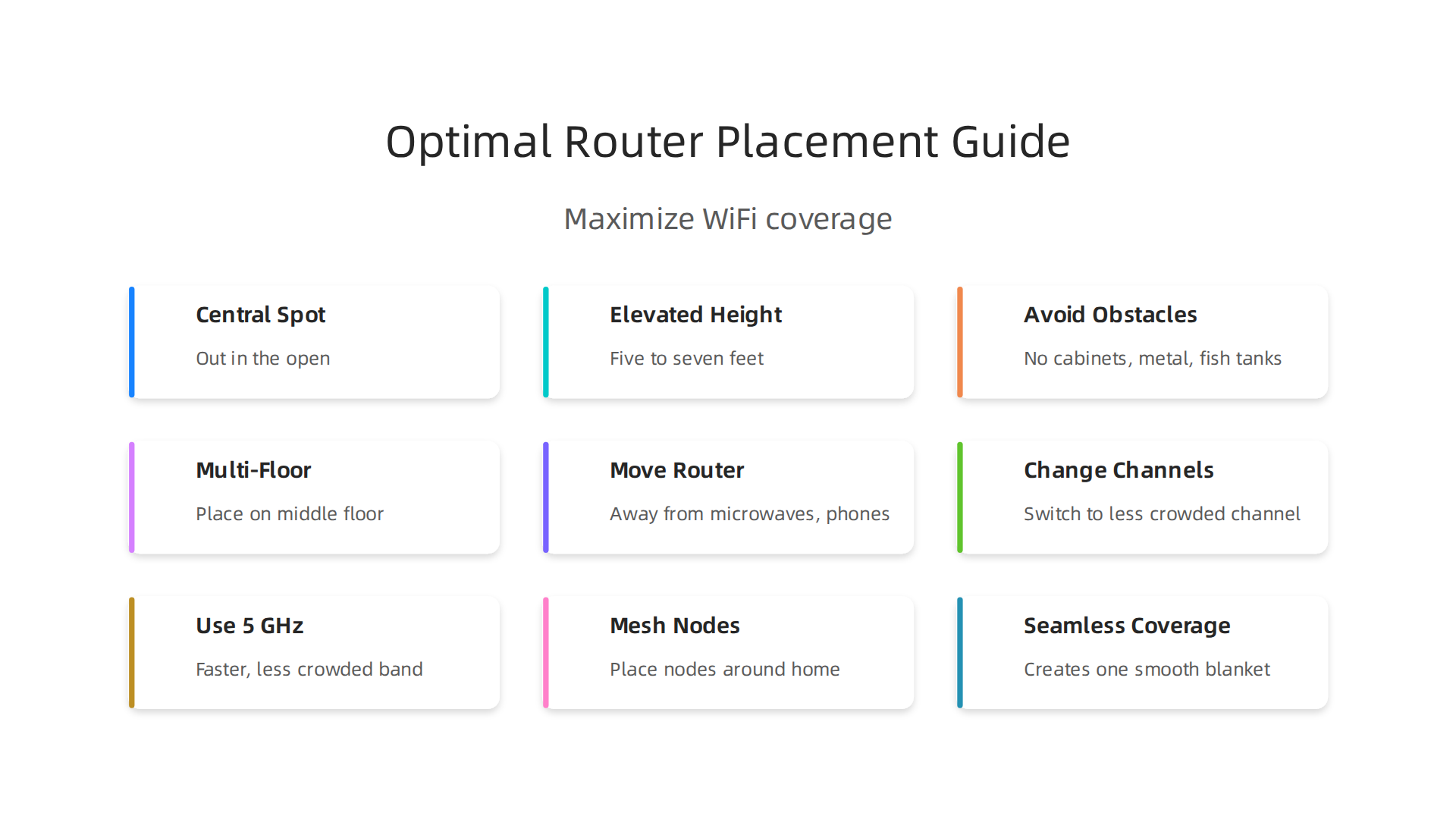
For a two-story house, experts at All West recommend placing it five to seven feet off the ground to get even coverage across floors. If you have three floors, Netgear suggests putting the router on the middle floor near the ceiling or the upper floor near the floor. It sounds simple, but this single move can boost your wifi signal strength more than any fancy setting.
Think about it. Your router is like a comedian on stage. If you push the comedian into a corner behind a curtain, nobody hears the jokes. Give them center stage, and the whole room laughs. Give your wifi box center stage, and every corner of your home gets signal.
Want more laughs while you test this tip? Check out some truly funny WiFi disasters that prove your router has a sense of humor. And if you need a full dose of comedy after moving furniture around, grab Read Book 1 from The Ridiculous series. It is the perfect reward after a successful signal dance.
2. Tin Foil Hat for Your Router – The Parabolic Reflector Trick
You moved your wifi box to center stage. Good. But what if your signal still struggles to reach that far corner of the house? Here is a weird fix that actually works. Grab some aluminum foil.
No kidding. A simple curved piece of foil can act like a satellite dish for your wireless router.

The idea is called a parabolic reflector. You shape the foil into a curved "C" or "U" and place it behind the router. Instead of sending signals in all directions, the foil pushes the wifi signal strength forward into one specific zone.
There are tested DIY designs online that show you exactly how to bend the foil. Some people use cardboard as a base and wrap it in foil for stability. You can also buy pre-made reflectors if you want a cleaner look. The science is real. Radio waves bounce off metal surfaces, so aluminum foil works as a cheap directional antenna.
Here is the catch. This is not a cure-all. A foil reflector is directional. It will make one room stronger, but it might weaken others. So this trick works best when you have one spot that always struggles. Think of it like a flashlight. You focus the beam where you need it, and the rest goes dark.
If your home has multiple dead zones, you might need a stronger solution. That is where an internet extender comes in. But for a quick, cheap fix for a single trouble spot, tin foil is your friend.
And if you want more laughs while you tinker with your setup, check out some funny news headlines that will make your day brighter. After you finish boosting your signal, why not explore a humor series that keeps the good mood going? Visit Ridiculous to find books that mix comedy with heart.
3. Ethernet Cable: The Glorious Umbilical Cord
Tin foil can help, but nothing beats a direct connection. If your wifi signal strength still feels weak in your home office or gaming room, it is time to plug in. An Ethernet cable is like a lifeline for your wifi box. It connects your device straight to the wireless router with no signal loss. No interference. No slowdowns. Just pure, fast speed.
Here is the thing. Running a long cable across the house is not always pretty. But it works. Wired connections are the fastest and most reliable way to extend high-speed internet. You skip the walls, the distance, and the other gadgets fighting for airtime.
But what if your router is downstairs and your computer is upstairs? That is where powerline adapters come in. A powerline adapter uses your home’s existing electrical wiring as a makeshift Ethernet cable. You plug one adapter near the router and another in the room you need. Suddenly, your internet signal travels through the walls without you drilling a single hole. As one comparison explains, powerline adapters can extend network access without adding new cables. They are not always as fast as a direct cable, but they are far more stable than a typical wifi extender.
Why do we call it the umbilical cord? Because it gives life to your connection. Games load faster. Video calls stop freezing. You get the speed you actually pay for.

If you are tired of fighting with your internet, this is the fix that never lies. And when your connection is finally solid, you will have more time to enjoy the good stuff. Like a laugh break with some ridiculous comedy. Visit Ridiculous to find a book series that mixes humor with heart, perfect for a quick escape from buffering woes.
4. The Power of Negative Space – Reduce Interference
Think about the last time you were at a party and someone stood too close, talked too loud, and would not stop. Your wifi signal strength feels the same way about your microwave. Seriously. Every time you heat up popcorn, your wifi box takes a hit. Microwaves operate on the same 2.4 GHz frequency as your wireless router. Cordless phones, baby monitors, and even your neighbor’s wifi can all crowd that same space.
Here is the fix. Treat interference like an awkward party guest. Remove the annoyance.
Start by moving your wifi box away from common culprits.
Keep it at least 10 feet from microwaves, cordless phone bases, and Bluetooth speakers. Also, remember what we talked about with height earlier. According to one guide, placing your wireless router on a shelf or table at about five to seven feet off the ground helps the signal spread better, especially in a two-story home. You want your wifi box up high and out in the open. Not stuffed behind a TV or hidden in a cabinet.
Now let’s talk about channels. Your wifi box uses different channels to send data, just like radio stations. But when too many nearby networks use the same channel, they start to bump into each other. This creates congestion and slows your internet extender efforts. You can log into your wireless router settings and switch to a less crowded channel. Most modern routers let you do this in a few clicks. If you have a dual band router, use the 5 GHz band instead of 2.4 GHz. It is faster and less crowded, though it does not travel as far through walls.
Think of it this way. A clear path means a stronger signal. And a stronger signal means fewer freezes during your favorite show.
Speaking of enjoying your connection without interruptions, once you clear out the interference, you will have more mental space for things that actually make you feel good. Read Book 1 for a funny escape that fits right into your newly stable browsing time.
5. Reboot Ritual: The Sacred 10-Second Unplug
You moved your router away from the microwave. You switched to a clear channel. Now here is the simplest fix of all. Just unplug your wifi box for ten seconds.
I know it sounds too easy. But most people forget to do it. Your wireless router builds up memory junk over time. Old connections get stuck. Data piles up. A quick restart clears all that out. It is like giving your router a power nap.
Set a weekly reminder. Pick a time when nobody is streaming. Sunday morning before breakfast works great. Walk over to your router, unplug it, count to ten, and plug it back in. That is it.
Think of this as a tiny offering to the tech gods. A ritual to keep your wifi signal strength fresh. Even if you use a fancy mesh system or a powerline adapter setup, the main router still needs this reset. According to a comparison of different network setups, even the best mesh systems benefit from regular maintenance like this reboot.
A simple reboot can do more for your internet extender than almost any other quick fix. Try it before you buy anything new.
And while your connection is stable, take a moment to laugh at the chaos we all deal with. Read these funny wifi disaster stories for proof that every household has tech hiccups.
Now that your connection is smooth, you have room in your day for something that actually makes you smile. Explore the series for a funny escape that fits right into your newly steady browsing time.
6. Mesmerizing Mesh Networks – The Whole-Home Hug
You reset your router. You moved it away from the microwave. Maybe your wifi signal strength is better now. But what if you still have dead spots in the bedroom or the basement? That is where a mesh network comes in. Think of it as a group hug from your internet.
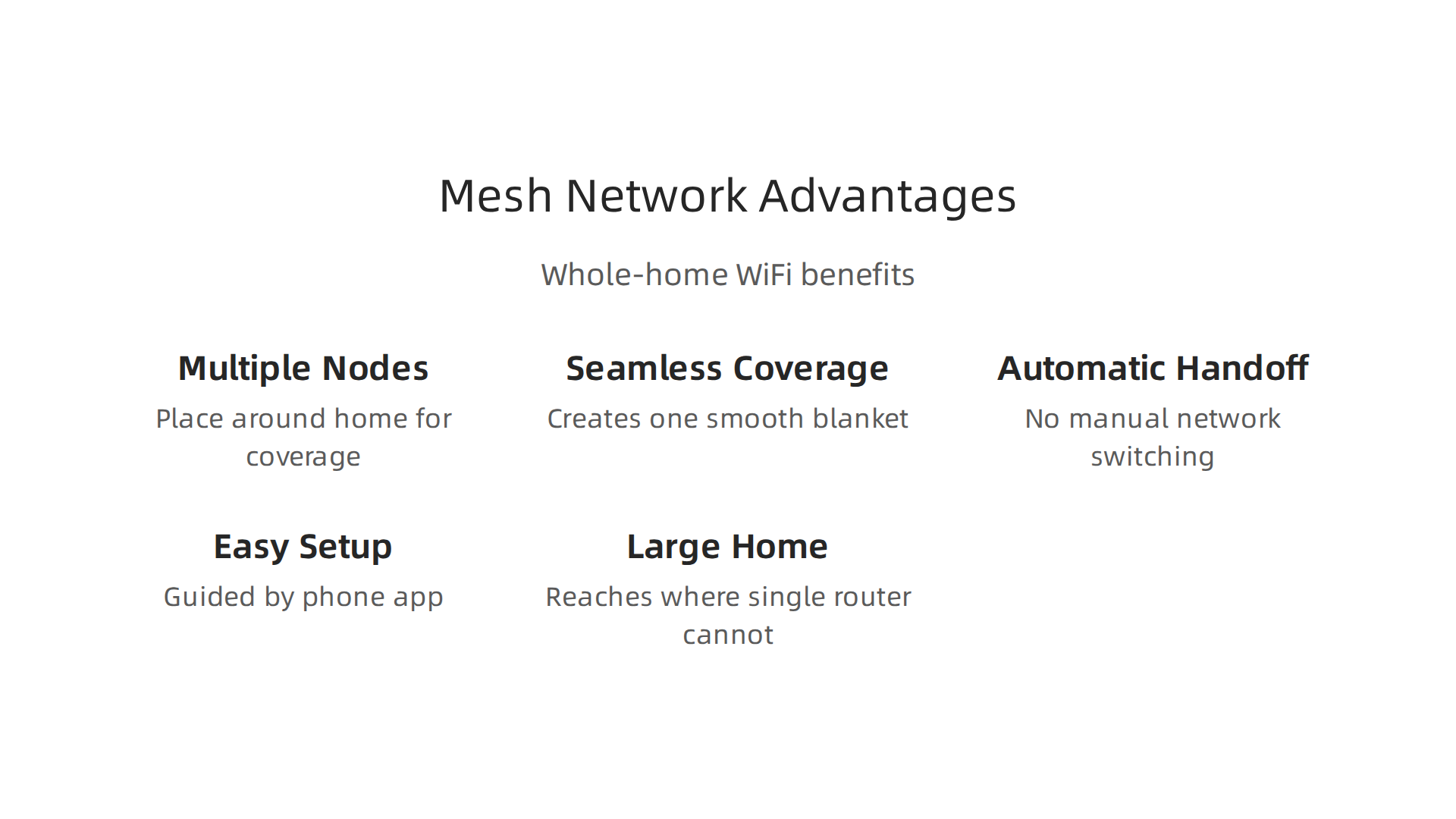
A mesh system uses multiple nodes that you place around your home. Each node talks to the others. Together they create one smooth blanket of coverage. No more switching between networks when you walk from the living room to the kitchen. With a traditional internet extender, your device often has to disconnect from one signal and reconnect to another. Mesh handles the handoff automatically. According to a comparison by Netgear, mesh systems offer better speeds because the router and satellite nodes are specially tuned to create a unified network.
Setting up a mesh system is also easier than you might think. Most come with a phone app that walks you through each step. You do not need to mess with settings or guess which channel to use. The system figures it out for you. And if you have a large home or thick walls, mesh can reach places where a single router cannot.
So why would anyone still use an extender? Cost. Mesh systems can be pricier upfront. But if you are tired of buffering in the back room, the upgrade might be worth it. Check out the best reviewed mesh systems of 2026 for a closer look.
Once your whole home has steady wifi, you have extra time to actually enjoy yourself. Put that smooth connection to good use. Read Book 1 of The Ridiculous for a laugh that fits right into your newly stable browsing time.
7. Elevate Your Router: Bookshelf Throne
So you moved your router away from the microwave and maybe even checked your wifi signal strength. But you still hit a dead zone in the hallway? Here is the thing: height matters more than you think.
Your wireless router sends signals in a downward curve. If you keep it on the floor or behind a couch, that signal gets blocked by furniture and concrete. The fix is simple. Give it a throne. Place your wifi box on a high shelf, preferably five to seven feet off the ground, with nothing blocking it. Experts at TP-Link recommend keeping your wireless router on a table or shelf so the antennas can work their best. For a two story house, putting the router on a second floor shelf near the ceiling helps cover both levels evenly.
Avoid basements and concrete floors. Concrete absorbs signal like a sponge. If your router is down there, your internet extender is fighting a losing battle. A simple height boost can improve wifi signal strength more than any setting change.
Think of it this way. Your router is the king of your home network. It deserves a throne. Put it on a bookshelf, a high cabinet, or even a floating shelf. The result is steadier coverage and less need for an extra internet extender.
Once your network rules from its new throne, you have more time for fun. Check out these funny wifi disasters that prove your router has a sense of humor for a good laugh while you test your new setup. And when your signal is solid, curl up with a good book that matches your newly peaceful browsing time.
8. Upgrade Antennas: Sticking Out Like a Porcupine
You gave your router a throne. Now give it longer ears. Many wireless routers come with removable antennas. You can unscrew them and replace them with higher-gain antennas. This is one of the cheapest ways to boost your wifi signal strength without buying a new internet extender.
Let’s talk about dBi. That is the number that tells you how powerful the antenna is. Stock antennas are usually 2 or 3 dBi. You can swap them for 6, 9, or even 12 dBi models. As tech enthusiasts discuss on forums, typical replacement antennas you can buy would be 6 or 9 dBi, with bigger ones being 12 dBi. Higher dBi means the signal travels further. Before you buy, check your router’s connector type. Most use RP-SMA. While compatibility is usually straightforward, it is a good idea to check your specific model so you don’t run into subtle compatibility problems.
Do you have a specific room where the signal drops? Try a directional antenna. Instead of sending signal in a circle, it points the signal like a flashlight. You can aim it right at your dead zone. Standard WiFi antennas should work fine with the right pigtail adapter.
Sure, your wifi box will end up looking like a spiky porcupine. But that is a cool look. And it beats losing your connection in the middle of a video call.
Once your whole house is covered, you have more time for things that actually matter. Like reading a book that makes you laugh. If you want a story that matches your newly upgraded wifi signal strength, Read Book 1 and enjoy a ridiculous adventure.
9. Channel Surfing: Change Your WiFi Channel
You swapped antennas and your wifi box looks like a porcupine. But your internet is still slow at night. The problem might not be your hardware. It could be your channel. Think of a TV channel that gets static when two stations overlap. Your wifi does the same thing.
The 2.4 GHz band has only three non-overlapping channels: 1, 6, and 11. If every neighbor on your street uses channel 6, your wifi signal strength fights a crowd. The fix is simple. Log into your wireless router settings and switch to a less crowded channel.
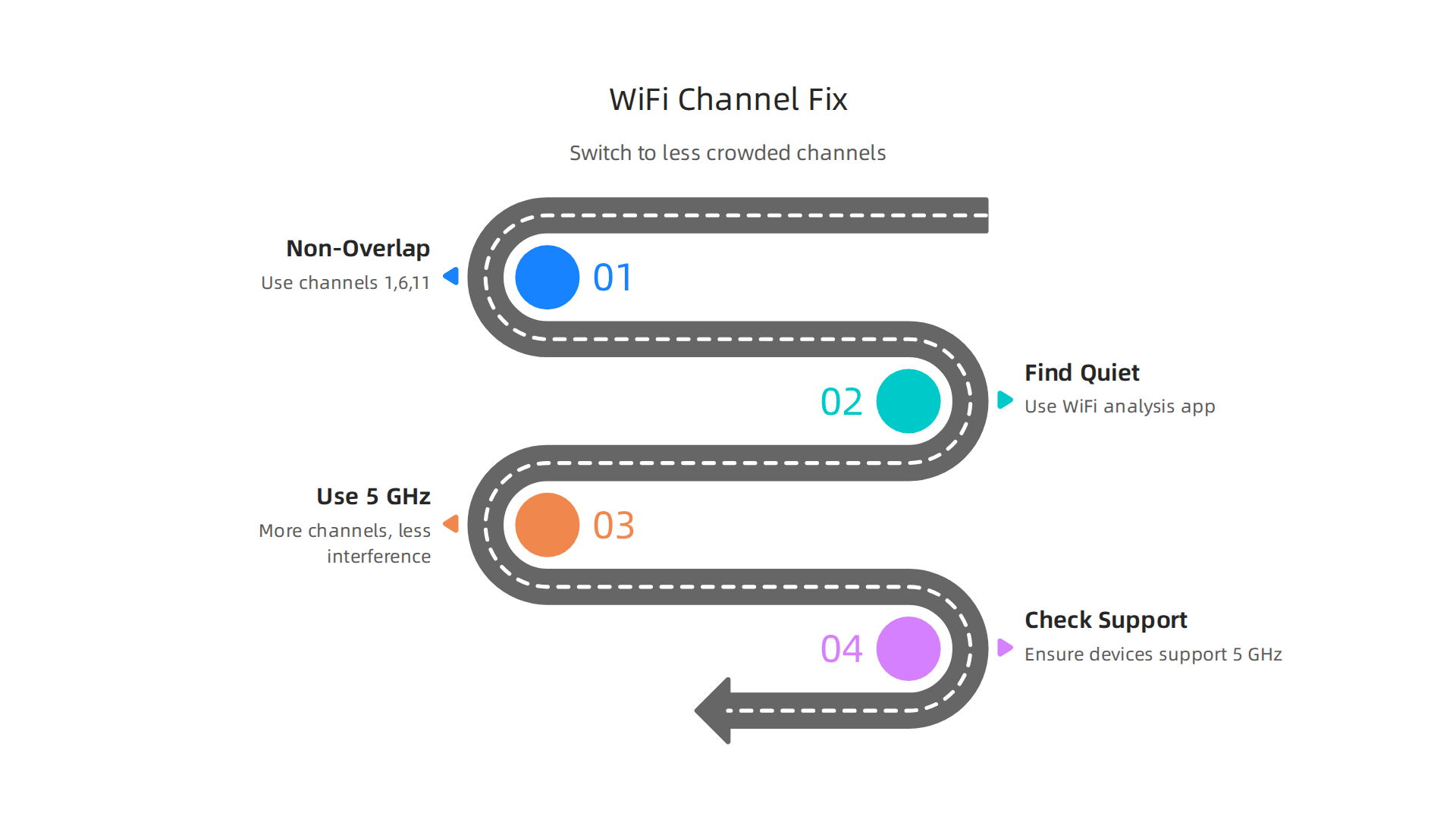
You can use a free app like WiFi Analyzer to see which channels neighbors are using. Pick the quiet one.
If your router supports 5 GHz, use that instead. It has more channels and way less interference. The signal doesn’t travel as far through walls, but in the same room, it’s like a clear radio station. Just check that your devices support 5 GHz. Many newer ones do.
Before you run out and buy an internet extender, try this free trick. It’s like changing the channel on your TV to fix snowy reception. Except it actually works. Afterward, you’ll have solid wifi signal strength everywhere.
Once your connection is stable, you have more time to enjoy things that make you laugh. If you want a funny story that matches your newfound internet freedom, Explore the series and see what happens when ordinary life goes hilariously wrong.
10. Extenders that Amplify (and Amplify the Laughter)
You changed your wifi channel and your signal is better, but that back bedroom still gets nothing. Now what? You might think about an internet extender. Here’s the deal: a traditional extender grabs your wifi signal and sends it further. But it works like a walkie talkie. It talks to your wireless router and your device at the same time, sharing the same radio. That can cut your wifi signal strength in half. Actually, it’s a lot like a comedy mic that amplifies your voice but adds a little static. You get the signal, but it’s not as crisp.
WiFi 6 extenders are better. They handle more data at once and lower the lag. If you go this route, look for one that supports WiFi 6. Even then, mesh WiFi systems often beat extenders in speed because the router and nodes are tuned to work together as one smooth network. An extender creates a separate network, so you might have to manually switch as you move around the house.
But hey, sometimes an extender is all you need. It’s cheap and easy. You plug it in near the edge of your wifi zone, push the WPS wifi button, and boom. More coverage. For a funny take on what can go wrong when tech meets real life, check out funny wifi disasters that prove your router has a sense of humor.
Once your signal reaches every corner, you’ll have more time for things that lift your mood. Like a good story. If you want a hilarious escape, Read Book 1 and laugh your way through a ridiculous adventure.
Summary
This article combines practical, easy-to-follow WiFi fixes with a light-hearted tone to make troubleshooting less painful. It explains common causes of weak home networks—poor router placement, interference, crowded channels, and underpowered hardware—and shows simple fixes you can try today: move your router to a central, elevated spot (about 5–7 feet high), reboot it for ten seconds weekly, change channels (use 1, 6, or 11 on 2.4 GHz), or use Ethernet/powerline for critical devices. It also covers creative DIY options like an aluminum-foil parabolic reflector, antenna upgrades (dBi tips), when to buy an extender versus a mesh system, and how mesh nodes create seamless whole-home coverage. After reading, you’ll know which quick steps to try first, how to choose between wired and wireless improvements, and when a hardware upgrade is worth the cost.