
Welcome — let’s make WiFi 6 vs 6E less boring and more bonkers
Let’s be real. Reading about new WiFi stuff can feel like trying to understand a secret code.

You just want your internet to work fast so you can stream your favorite comedy show without any hiccups, right? But then you see words like "WiFi 6 vs 6E" and your brain starts to frizz, much like a weak WiFi signal. It’s enough to make you sigh instead of laugh!
The world of gadgets and internet speeds often throws a bunch of confusing terms at us. Every new router promises the moon, with fancy names and numbers that sound super important but often leave us scratching our heads. You just want a simple, clear answer. You want to know if that shiny new asus wifi router is worth it, or if you just need a better wifi repeater vs extender. We all need a good laugh to calm our tech worries and some easy-to-get information to make smart choices.
That’s why we’re here. We’re going to break down the "wifi 6 vs 6e" puzzle for you, not with boring tech talk, but with easy explanations and even some playful examples. Think of it as a fun tour through your home’s internet, where we clear up the confusion about these two types of WiFi. This way, you’ll understand the main differences and why WiFi 6E is essentially an updated version of WiFi 6 that adds the 6 GHz band for faster speeds and less lag Wi-Fi 6 vs Wi-Fi 6E: A Comprehensive Comparison. By the end, you’ll have practical ideas that actually make sense for your everyday online life, and maybe even a chuckle or two.

If you’ve ever felt the frustration of slow internet, you might enjoy some laughs about common tech issues. Check out some Funny WiFi Disasters That Prove Your Router Has a Sense of Humor to lighten the mood.
Want More Good Humor? Meet a book series made for readers who like funny and thoughtful. Want More Good Humor?
Quick primer: What WiFi 6 and WiFi 6E actually are (without the jargon)
Let’s clear up the air, or rather, the airwaves. You’ve heard about "WiFi 6 vs 6E," but what do these numbers and letters really mean for your funny cat videos or important work calls? It’s simpler than it sounds, promise!
Think of WiFi as a highway for your internet data.
WiFi 6: This is like upgrading from a small, twisty road to a much wider, smoother highway with more lanes. It was made to handle a lot more cars (your devices like phones, smart TVs, tablets) all at once without traffic jams. Before WiFi 6, if too many devices were trying to use the internet at the same time, things would slow down. WiFi 6 helped fix that, making sure everyone gets a fair share of the speed. It works on the common 2.4 GHz and 5 GHz bands that most of your current devices use. If you have a busy home with lots of gadgets connected to your asus wifi router or even an older mikrotik router, WiFi 6 gives you a much better and faster experience.
WiFi 6E: Now, imagine that wide, smooth highway, and then someone decides to build a brand-new, super-wide, and completely empty highway right next to it. That’s WiFi 6E! It’s not a whole new WiFi type, but an "extension" of WiFi 6
What is Wi-Fi 6E? | Renesas. The "E" stands for "Extended." It takes all the good stuff from WiFi 6 and adds access to a brand-new lane of traffic: the 6 GHz band. This new 6 GHz band is like that fresh, empty highway. It’s much wider and has far fewer cars on it. This means less interference from your neighbors’ WiFi, your microwave, or other devices. The result? Even faster speeds and less lag, especially if you live in a crowded apartment building where everyone’s WiFi signals are fighting for space.
So, when you look at WiFi 6 vs 6E, remember that WiFi 6E is simply WiFi 6 with an extra, super-fast, and less crowded highway lane for your internet traffic.

It’s like having a special express lane just for your most important internet needs, ensuring your streaming doesn’t buffer and your video calls don’t freeze, even when everyone else in your house is online too.
Don’t Get Fooled by Fancy Words
Companies often like to use big, complex words to make their products sound amazing. When you see "WiFi 6 vs 6E" or hear about the next big thing, just remember these simple ideas. The main goal of both is to give you a smoother, faster internet experience. While WiFi 6E is definitely an upgrade because of that new 6 GHz band, your everyday experience also depends on how good your internet plan is and the quality of your WiFi devices. Sometimes, the latest router is great, but don’t fall for marketing that makes it seem like your internet will fly to the moon if your internet service provider only gives you a paper airplane. If you’re looking for ways to boost your signal, understanding the difference between a portable wifi extender that fixes buffering and saves every punchline and a repeater might be helpful too.
Okay, let’s get into the nitty-gritty of "wifi 6 vs 6e" without turning your brain into a bowl of alphabet soup. We’re talking about the secret sauces that make WiFi 6E so special: speed, quickness, and that magical new road.
The Technical Differences (Speed, Latency, and the Magical 6 GHz Band) — but Funny
Imagine your internet data as tiny race cars.
The Spectrum: Your Wireless Highways
First, let’s talk about the actual roads these cars drive on.

- 2.4 GHz Band: This is like a scenic country road. It goes pretty far, can even go through a few trees (walls), but it’s narrow and slow. Plus, everyone and their grandma’s microwave uses it, so it gets really crowded and bumpy. Think of it as the road for slow, steady trips, but definitely not for a race.
- 5 GHz Band: This is your main city highway. It’s much wider and faster than the 2.4 GHz road, great for most of your daily driving. But it doesn’t go quite as far, and if everyone’s trying to go home at 5 PM, it still gets jammed up.
- 6 GHz Band: Ah, the VIP lane! This is the truly magical part of WiFi 6E. It’s a brand-new, super-wide, and mostly empty highway. When governments around the world, like the U.S. Federal Communications Commission, started opening up this 6 GHz band for unlicensed Wi-Fi use in recent years, it was a game-changer
State of 6 GHz Wi-Fi. It’s so wide, it’s like having 1,200 MHz of fresh, greenfield spectrum just for Wi-Fi traffic 6 GHz BAND. This means your WiFi 6E devices can zoom along without traffic lights or slow-moving tractors. This is why WiFi 6E blows past regular WiFi 6 when it comes to raw capability.
Throughput and Latency: How Fast and How Quick?
- Throughput (Speed): This is how many race cars can get from point A to point B in a set amount of time. On the 6 GHz band, because the lanes are so wide (called "wider channels") and there’s no traffic, your devices can send and receive data much, much faster. We’re talking gigabit speeds for your downloads and uploads. No more waiting for your funny cat video to load!
- Latency (Quickness): Imagine latency as the time it takes for your race car to react after you press the gas pedal. On a crowded 2.4 GHz or 5 GHz road, there’s a delay because the system has to manage all the other cars. On the empty 6 GHz road, your car reacts instantly. This is super important for things like online gaming (where every millisecond counts!) or smooth video calls where you don’t want your friend to look like a robot. Lower latency means less lag and a happier you.
- Congestion (Traffic Jams): This is where WiFi 6E truly shines. Since the 6 GHz band is new, very few older devices use it. It’s like a brand-new, private highway for your WiFi 6E gadgets. Less congestion means fewer slowdowns, less interference from your neighbors’ busy networks, and a consistently faster, more reliable connection. If your home often feels like a digital bumper-to-bumper nightmare, a good WiFi 6E setup might be your hero. You can also look into ways to fix WiFi dead zones for better signal strength around your house.
Global Road Rules: Regulatory Hurdles
Here’s the funny bit: not every country has decided to open up this new 6 GHz highway yet. While places like the United States have been quick to adopt it, other regions are still figuring out the road signs and rules. This means that if you buy a fancy WiFi 6E device, it might not be able to use the 6 GHz band everywhere you go. It’s like having a supercar that’s only allowed on certain roads. So, before you rush out to buy the latest WiFi 7 mesh router upgrades, check what your local regulations allow. The good news is that many countries are looking at the amazing benefits of the 6 GHz band, and we expect more places to open it up in 2026 and beyond.
Now that we know the super cool technical bits of WiFi 6E, let’s talk about what these numbers mean for you at home. Sometimes, what fancy tests show isn’t quite what you get in your living room.
Real-world performance: What benchmarks and tests actually show (and what they don’t)
Think about those amazing speed numbers you see on a router box. They’re often like race car speeds on a perfect, empty track. In your home, it’s more like a busy neighborhood with furniture acting as speed bumps and walls as roadblocks.
How We Test WiFi Speeds
When people test WiFi, they often look at a few things:
- Speed Tests: These are like checking how fast you can download a movie. They measure how quickly data goes from your router to the internet and back. For example, some tests show that WiFi 6E can be much faster than WiFi 6 when using the new 6 GHz band, especially close to the router We tested Wi-Fi 6 versus Wi-Fi 6E: here are the results!. But remember, your internet plan speed is often the biggest limit here. If you pay for 100 Mbps internet, your WiFi can’t magically go faster than that, even with a super-fast router.
- Real-world Throughput: This is about how much data your devices can move around your house. Imagine copying a huge file from one computer to another over WiFi. This kind of test checks how much data gets through walls and around corners. Lab tests often happen in a perfect room with no interference. Your home has microwaves, baby monitors, and neighbor’s WiFi networks, which can slow things down.
- Congestion Tests: This is where WiFi 6E really gets to show off. These tests see how well your WiFi works when many devices are online at the same time. If your family has phones, tablets, smart TVs, and gaming consoles all running, WiFi 6E can handle that crowd much better than older WiFi because of its new, less crowded 6 GHz band Wi-Fi 6 vs Wi-Fi 6E: A Comprehensive Comparison.
You can even see some of these tests in action, like this WiFi 6 vs. WiFi 6E Speed Comparison Test which shows the difference.
Why Lab Numbers Don’t Always Match Home Life
- Perfect Conditions: In a lab, there are no walls, no other WiFi signals, and devices are often very close to the router. Your home is different! Walls block signals, and other electronic devices can cause interference.
- Your Devices Matter: For WiFi 6E to really work its magic, both your router and your devices (like your phone, laptop, or smart TV) need to support WiFi 6E. If you have a WiFi 6E router but only WiFi 6 phones, you won’t get the full benefit of the 6 GHz band.
- Distance and Walls: The super-fast 6 GHz band doesn’t travel through walls or over long distances as well as the 2.4 GHz band. This means for top speeds, your devices need to be fairly close to your WiFi 6E router. If you have a big house, you might still need a good mesh WiFi system or extenders to get strong signal everywhere. You could look for ways to find the best mesh WiFi router for your home to make sure you have coverage in every room.
Who Really Gains from WiFi 6E?
While the numbers look good, not everyone will see a huge change when upgrading from WiFi 6 to 6E. But some people will love it:
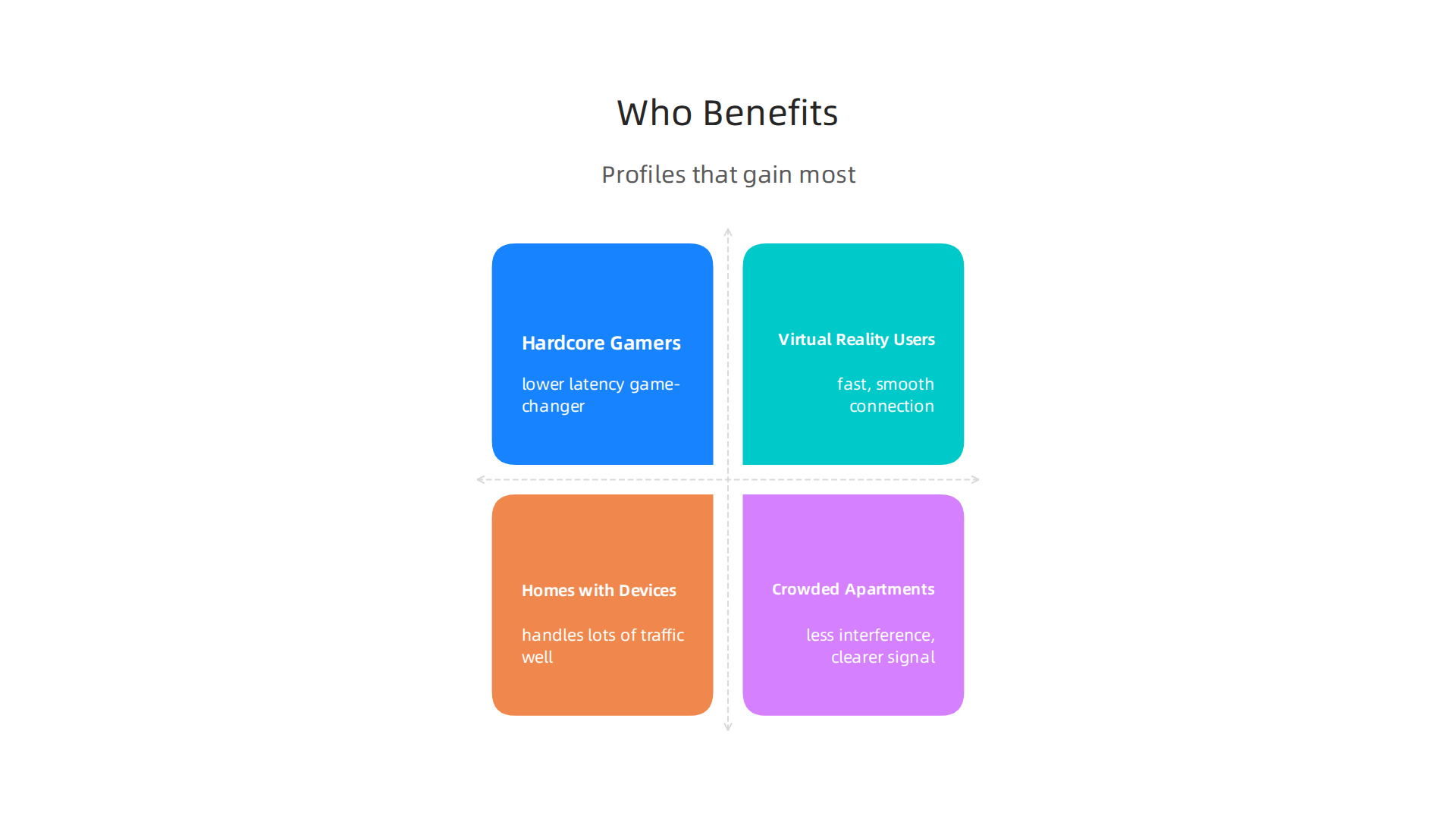
- Hardcore Gamers: If every millisecond matters in your online games, the lower latency of WiFi 6E on the 6 GHz band can be a game-changer.
- Virtual Reality (VR) Users: VR headsets need a lot of data very quickly. WiFi 6E provides the fast, smooth connection needed for wireless VR.
- Homes with Lots of Devices: If your house is full of smart gadgets, streaming devices, and busy internet users, WiFi 6E’s ability to handle many connections without slowing down will make a difference.
- Crowded Apartments: If you live in a building with many neighbor WiFi networks, the empty 6 GHz band means less interference and a clearer signal for you. This is a big win for urban dwellers.
For most folks just browsing, checking email, or streaming one movie, the difference between WiFi 6 vs 6E might not feel huge right now. It’s often about how many devices you have and how demanding your online activities are. If you’re looking for solutions for coverage, you might also compare a wifi repeater vs extender to help reach those far corners of your house.
Your Checklist: Interpreting WiFi Speeds
Here’s how to figure out what those speed claims mean for you:
- Your Internet Plan: What speed do you pay your internet company for? That’s your speed limit.
- Your Devices: Do your phones, laptops, and tablets say they support WiFi 6E? If not, you won’t get the 6 GHz perks.
- Your Home: How many walls are between your devices and your router? How far away are they? More obstacles mean slower speeds.
- Your Activities: Are you just browsing, or are you streaming 4K videos on multiple TVs while someone else is VR gaming? More intense use means more need for WiFi 6E.
- Your Neighbors: Do you live in a crowded area with many other WiFi networks? WiFi 6E will help cut through that noise.
In 2026, many routers are making the leap to WiFi 6E, like some models from asus wifi router or even options like a mikrotik router. It’s all about matching the tech to your real needs.
It’s all about matching the tech to your real needs.
Compatibility, device support, and future-proofing (aka, will my old phone laugh at this?)
It’s great to think about super-fast WiFi 6E, but here’s the thing: your devices need to be on the same page. Imagine buying a fancy new sports car but only having old dirt roads to drive it on. You wouldn’t get the full speed. It’s the same with WiFi 6E. For you to enjoy the benefits of the super-fast 6 GHz band, both your router and your devices must support WiFi 6E.
Checking Your Devices for WiFi 6E Support
How do you know if your phone, laptop, or smart TV can use WiFi 6E? You’ll need to check its specs. Most newer devices released in 2026 or late 2025 likely have WiFi 6E built-in. Look for "WiFi 6E" listed in the wireless section of your device’s settings or its product information. It’s a key challenge for wider use that not all devices currently support the 6 GHz band Wi-Fi 6E: Unlocking High-Performance Connectivity in 2026. However, the good news is that many devices are quickly adopting it. More than 5,000 different models of Wi-Fi devices now support the 6 GHz operation Over 5000 Wi-Fi devices support 6 GHz.
If your device only supports older WiFi standards like WiFi 5 or even regular WiFi 6, it will still connect to a WiFi 6E router. But it will use the older 2.4 GHz or 5 GHz bands, not the new, clear 6 GHz band. So, you won’t get the special speed and low-crowd benefits of WiFi 6E on that particular device.
When to Upgrade Your Router or Just Wait
Deciding if and when to upgrade your router from WiFi 6 to WiFi 6E depends on a few things:

- Your Current Devices: Do you have many new phones, laptops, or VR headsets that already support WiFi 6E? If yes, upgrading your router will let them use their full potential. If most of your gadgets are older, you might not see a huge difference right now.
- Your Home Life: If you have a busy home with lots of devices streaming, gaming, and working at the same time, a WiFi 6E router can help manage that traffic better. Also, if you live in a crowded apartment building, the 6 GHz band can give you a clearer signal away from neighbor’s WiFi.
- Firmware Updates: Always keep your current router’s software (called firmware) updated. Sometimes, these updates can improve performance or fix small issues, making your older router work better.
If you decide an upgrade is right for you, you might be looking at models like an asus wifi router or even a sturdy mikrotik router. If you are struggling with patchy signal, sometimes you need more than just a new router. You might need to fix wifi dead zones with these 10 tips for a stronger signal or even learn how to make your eero extender work better to spread the signal around your home. Understanding the difference between a WiFi repeater versus an extender can also help you boost your signal.
Future-Proofing Versus Your Wallet
Thinking about future-proofing means buying tech that will still be good in a few years. A WiFi 6E router might cost a bit more today than a regular WiFi 6 router. But it can save you from buying another new router sooner if you plan to get more new devices that support WiFi 6E.
In 2026, WiFi 6E is still a great choice for future-proofing, even with WiFi 7 coming along. While WiFi 7 offers even more speed, it’s still very new, and devices that support it are just starting to appear. So, buying a WiFi 6E router now means you’re ready for most new devices that will come out in the next few years. It’s a smart balance between having the latest tech and being kind to your budget. If you’re really looking ahead, you can read about wifi 7 mesh router upgrades to see what’s next.
It’s true, making a smart choice for your home WiFi is all about finding that sweet spot between what’s available now and what you might need later. So, how do you really decide if WiFi 6 or WiFi 6E is the best fit for your family and your fun in 2026? Let’s break it down simply.
Practical decision table: Should you choose WiFi 6 or WiFi 6E for your home?
Choosing between wifi 6 vs 6e doesn’t have to be a tough quiz.
Think about your home, your gadgets, and how everyone uses the internet.
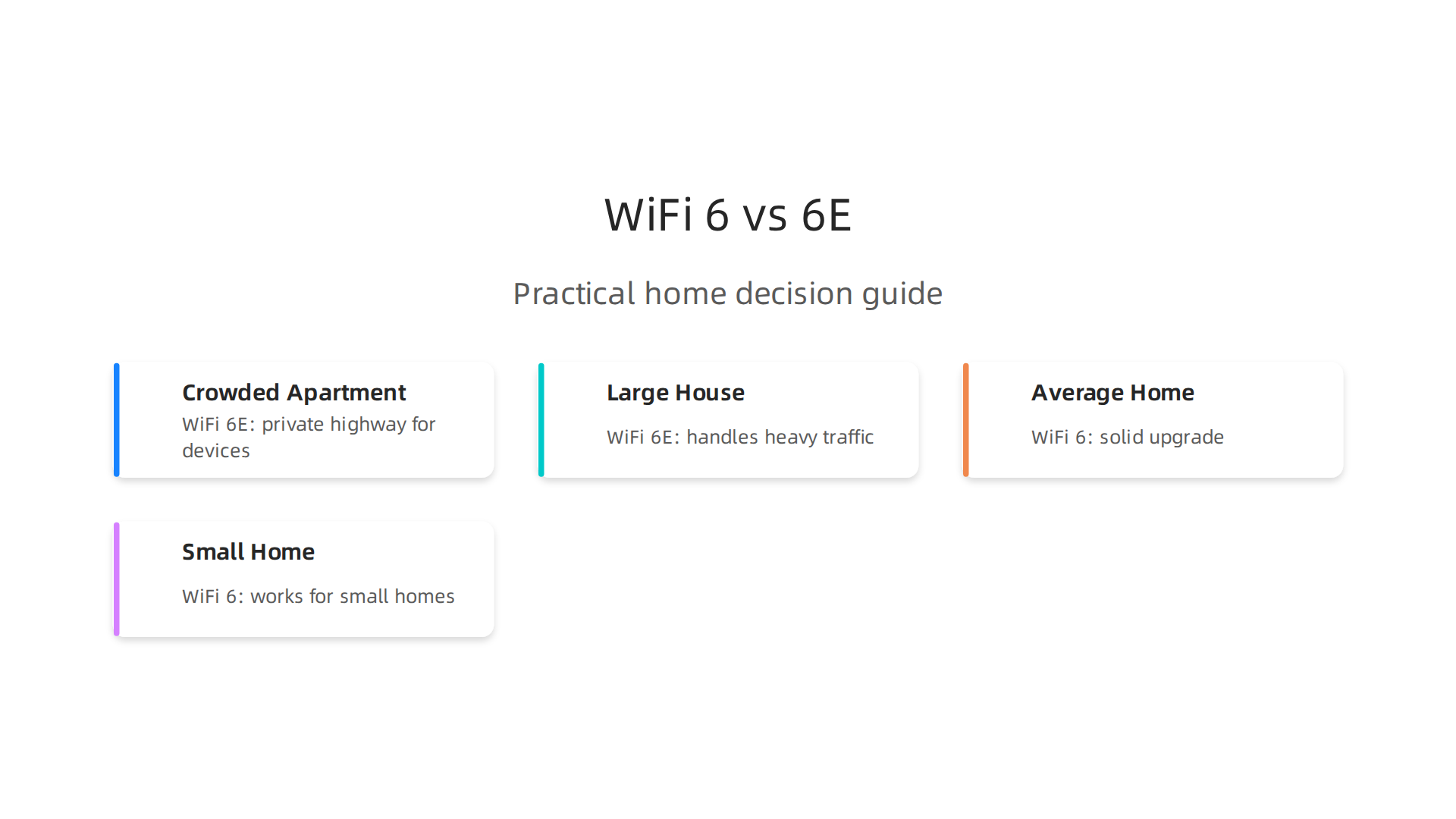
| Your Home Life Looks Like This: | Consider This WiFi Choice: | Why? |
|---|---|---|
| Crowded Apartment Building & New Devices | WiFi 6E | If your neighbors’ WiFi signals are always bumping into yours like bumper cars at a fair, the 6 GHz band of WiFi 6E is your clear lane. It’s like having a private highway for your newest devices, making streaming and gaming much smoother. You’ll get faster speeds and lower delays because of this new, less crowded channel Wi-Fi 6 vs Wi-Fi 6E: A Comprehensive Comparison. |
| Large House with Mixed Devices & Heavy Use | WiFi 6E | You’ve got teens gaming, someone else streaming 4K movies, and a home office running video calls. If many of your devices are newer and support WiFi 6E, this is a great upgrade. It handles lots of traffic well. For bigger homes, you might still need a good mesh system. Learn how to Find The Best Mesh WiFi Router For Your Home Without The Headache. |
| Average Home, Mixed Devices, Moderate Use | WiFi 6 | If you have some newer devices but also many older ones, and your internet use is mostly streaming, browsing, and occasional gaming, WiFi 6 is perfectly fine. It’s a big step up from older WiFi and offers great speeds without the extra cost of 6E if you don’t really need that 6 GHz band. |
| Small Home/Single User, Older Devices, Light Use | WiFi 6 (or existing) | Do you mostly check emails, browse the web, and stream a show or two? If your devices are mostly older, getting a WiFi 6E router might be like buying a race car for grocery shopping. A good WiFi 6 router will be more than enough. You won’t see much benefit from 6E’s special band if your gadgets can’t even use it. |
What to Watch Out For: When WiFi 6E Isn’t a Magic Fix
Choosing between wifi 6 vs 6e isn’t always as simple as picking the "newer" option. Here are a few things that might make WiFi 6E not the best fit right now:
- Your Internet Speed: If your internet plan is slow (like less than 500 Mbps), even the fastest WiFi 6E router won’t make your internet feel super-fast. Your WiFi can only go as fast as the internet coming into your home. It’s like having a powerful fire hose but only a small garden spigot for water.
- Your Devices Are Old School: Remember that chatty old phone? If most of your devices only support WiFi 5 or regular WiFi 6, they can’t use the special 6 GHz band of WiFi 6E. They’ll connect, but they’ll use the older, more crowded lanes, so you won’t get the main benefit of WiFi 6E. For a detailed comparison, check out this guide on WiFi 6 vs 6E: What Is The Difference? A Detailed Comparison.
- Walls and Distance: The 6 GHz band, while fast, can sometimes have a harder time going through thick walls or traveling long distances than the 5 GHz band. This means in some large homes, you might still run into dead zones without extra WiFi extenders or a mesh system.
No matter your choice, don’t let slow WiFi ruin your good mood. Sometimes, the funniest moment in a show is ruined by endless buffering. Make sure your setup brings the laughs, not the lag.
Laugh First Today! Take a break from the tech talk and dive into a world of fun.
Laugh First Today
Choosing the right router is a big step towards a happy home internet life. After picking between wifi 6 vs 6e, you need to bring that little box of magic home and set it up. Don’t worry, it’s easier than trying to explain a meme to your grandma.
How to buy, set up, and avoid rookie mistakes (a short troubleshooting comedy sketch)
First, let’s play detective and look at what’s important when you’re shopping for your new router in 2026.
Your Router Shopping Checklist: What to Look For
When you’re at the store or browsing online for your new WiFi companion, here’s what to keep an eye on:
- The WiFi Sticker: Make sure it clearly says "WiFi 6" or "WiFi 6E" on the box. This tells you it has the modern smarts you want. For example, some routers like an
asus wifi routerwill show this clearly. - The AX Number: You’ll see numbers like "AX3000" or "AXE11000." The higher the number, the faster the router generally is. For WiFi 6E, that "E" often comes with really big numbers, showing off its extra speed from the 6 GHz band
Wi-Fi 6 vs 6E vs 7: Which Do You Need in 2026? – Optimum.
- Antennas (The Little Sticks): More antennas can sometimes mean better signal reach, especially in bigger homes.
- Ethernet Ports: These are for plugging in devices with a cable, like your smart TV or game console, for an even faster and more stable connection.
- "Mesh" Ready: If you live in a big house and picked a WiFi 6E router, look for "mesh" features. This means you can add more WiFi boxes later to spread the signal far and wide, covering every corner.
Setup Tips That Reduce Common Problems
You’ve got your new router. Now for the grand debut!

- Placement is Key: Think of your router as a tiny superstar. It needs to be front and center! Put it in a high spot in the middle of your home, not hidden away in a cabinet or behind a big TV. Walls, mirrors, and even microwaves can block its signal. Give it space to shine.
- Channel Surfing: Just like TV channels, WiFi uses channels. If your neighbors are using the same channel, it can slow things down. Most modern routers pick the best channel automatically. But if things feel slow, you can sometimes go into your router’s settings and manually pick a less crowded channel.
- Update Its Brain: Always check for firmware updates when you set up your router and every now and then after that. This is like giving your router a brain boost, keeping it safe and working its best. It fixes little bugs and adds new features.
- Connect Your Older Devices: Remember that if you went with
wifi 6 vs 6e, your older devices will still connect to the 2.4 GHz or 5 GHz bands. This is okay, as WiFi 6 still makes these bands smarter and faster than older WiFi types.
Troubleshooting: When the Laughter Stops and the Buffering Begins
Even with the best setup, sometimes WiFi acts funny. It’s like a comedy show with an unexpected intermission.
- The Classic Restart: The first thing to try, always, is turning your router off and then back on. Unplug it for about 30 seconds, then plug it back in. It’s amazing how often this simple trick works.
- Check the Cables: Make sure all the cables are plugged in tightly, both at your router and at your internet modem.
- Test on Different Devices: Is it just your phone that’s slow, or is everyone’s tablet dragging? This helps you figure out if it’s a router problem or a device problem.
- Speed Test: Use an online speed test tool to see how fast your internet really is. If it’s much lower than what you pay for, you might need to call your internet provider.
- When to Call for Backup: If you’ve tried these simple fixes and your WiFi is still giving you trouble, it might be time to call a friend who’s good with tech or your internet provider’s support team. They can look at more advanced settings or tell you if a
wifi repeater vs extendermight solve a small dead zone. Sometimes, simple fixes for a stronger WiFi signal can make a big difference. If you’re struggling with areas where your signal dies out, these 10 tips for a stronger signal can help.
Don’t let tech trouble dim your day. With a little know-how, you can keep your home WiFi running smoothly and bring back the laughs.
Want More Good Humor? Meet a book series made for readers who like funny and thoughtful. Want More Good Humor?
Summary
This article breaks down the WiFi 6 vs WiFi 6E question in plain, often playful language so you can actually decide what to buy and why. It explains the basics—WiFi 6 is a big improvement over older WiFi, while WiFi 6E extends those gains with a new 6 GHz band that offers wider channels, less interference, and lower latency. You’ll learn the technical differences (spectrum, throughput, latency), why lab speeds may not match home results, and which households truly gain from 6E (gamers, VR users, crowded apartments, heavy multi-device homes). The piece also covers device compatibility, when upgrading makes sense versus waiting, and practical setup and troubleshooting tips to avoid common mistakes. By the end you’ll be able to match a router choice to your internet plan, devices, and home layout and follow a simple checklist to get better real-world WiFi performance.