

Introduction: When Your WiFi Becomes the Punchline
You are on the couch. The comedian on screen is building up to the big punchline. Your mouth is already starting to smile. Then it happens. The spinning wheel of death. The video stops. Your joy turns into a groan. The joke is ruined.

This is the reality of bad WiFi. It does not just slow down your connection. It steals moments of happiness. It freezes your favorite comedy special mid-laugh. It turns your video call into a robotic mess. And honestly, it is such a common pain that it has become a joke all by itself. We have even rounded up some funny WiFi disasters to prove you are not alone.
Most homes have hidden spots where the signal just gives up. These are called WiFi dead zones. According to TP-Link, a WiFi dead zone is an area where you should have wireless signals but your devices fail to connect to the internet.
And network experts at SimpliFiNetworks explain that dead zones are not always total blackouts. Sometimes they appear as frustratingly slow speeds or a connection that drops in and out.
That is where a portable wifi extender becomes the hero of your story. This small device grabs the signal from your router and pushes it further into your home. It fills those dead spots. It brings your connection to the places that matter most.
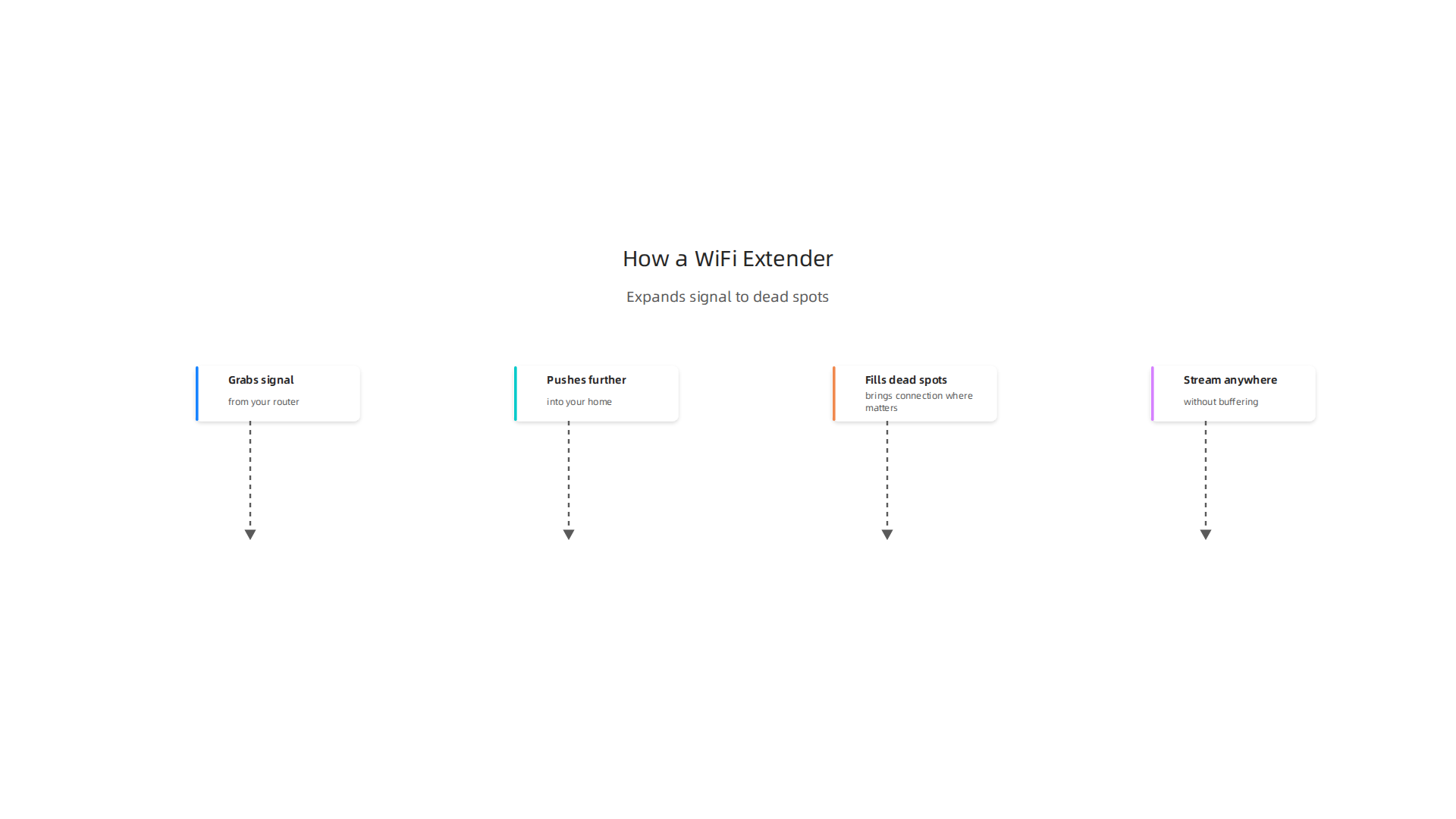
Your bedroom. Your home office. Your backyard. Suddenly, you can stream comedy specials anywhere without buffering.
In this article, we will walk you through the problem step by step. We will show you why a portable wifi extender is the simple fix you have been looking for. We will also share tips to improve your WiFi space so every corner of your home is ready for laughter.
No more frozen screens. No more missed punchlines. Just fast, reliable WiFi that lets the jokes flow freely.
Let us get started.
1. When Your Coffee Shop WiFi Is Slower Than a Snail on a Treadmill
Picture this. You grab a cold brew. You find the coziest corner. You pull out your phone to share that hilarious meme with your friends.

Then you wait. And wait. The little loading circle spins like it is mocking you. Your cold brew gets warm before the image even loads. That is the agony of public coffee shop WiFi.
Sound familiar? Coffee shop WiFi is famous for being unreliable. It is crowded. It is slow. And it turns your quick laugh into a test of patience. You are there to relax, not to watch a loading screen.
Here is the fix you can take with you. A portable wifi extender is not just for your home. It works anywhere. Plug it into an outlet near your seat. It grabs the weak signal from the coffee shop’s router and boosts it right to your table. As HP explains, a WiFi range extender captures your existing wireless signal and rebroadcasts it to create extended coverage.
That means your meme loads instantly. That funny video plays without buffering. You get back to laughing in real time.
Internet speed matters for comedy. When you need to share that perfect punchline with a friend, a second of lag kills the moment. A portable extender turns that coffee corner into a high-speed zone. No more snail-paced loading. No more missing the laugh.
Want to take your portable connection even further? Check out our guide on the best portable hotspot 2026 for streaming stand-up comedy without buffering. It pairs perfectly with your extender for on-the-go laughter.
2. Why Your Streaming Buffers Just as You’re About to Laugh at the Punchline
You are watching a comedy special. The comedian leans into the mic. They deliver the perfect punchline. Your brain is ready to explode with laughter. Then the screen freezes. The little spinning wheel appears. You wait. The moment is gone. The joke is dead. That is the tragedy of buffering.
Streaming is huge right now. In 2026, mobile devices already make up about 35% of all global streaming traffic, according to Streaming Services Statistics. That means millions of people are watching comedy clips and stand-up specials on their phones in coffee shops, airports, and hotel rooms. But public WiFi often collapses under that load.
Here is the problem. Your device is fighting for bandwidth with dozens of other people. The signal has to travel through walls and past other electronics.
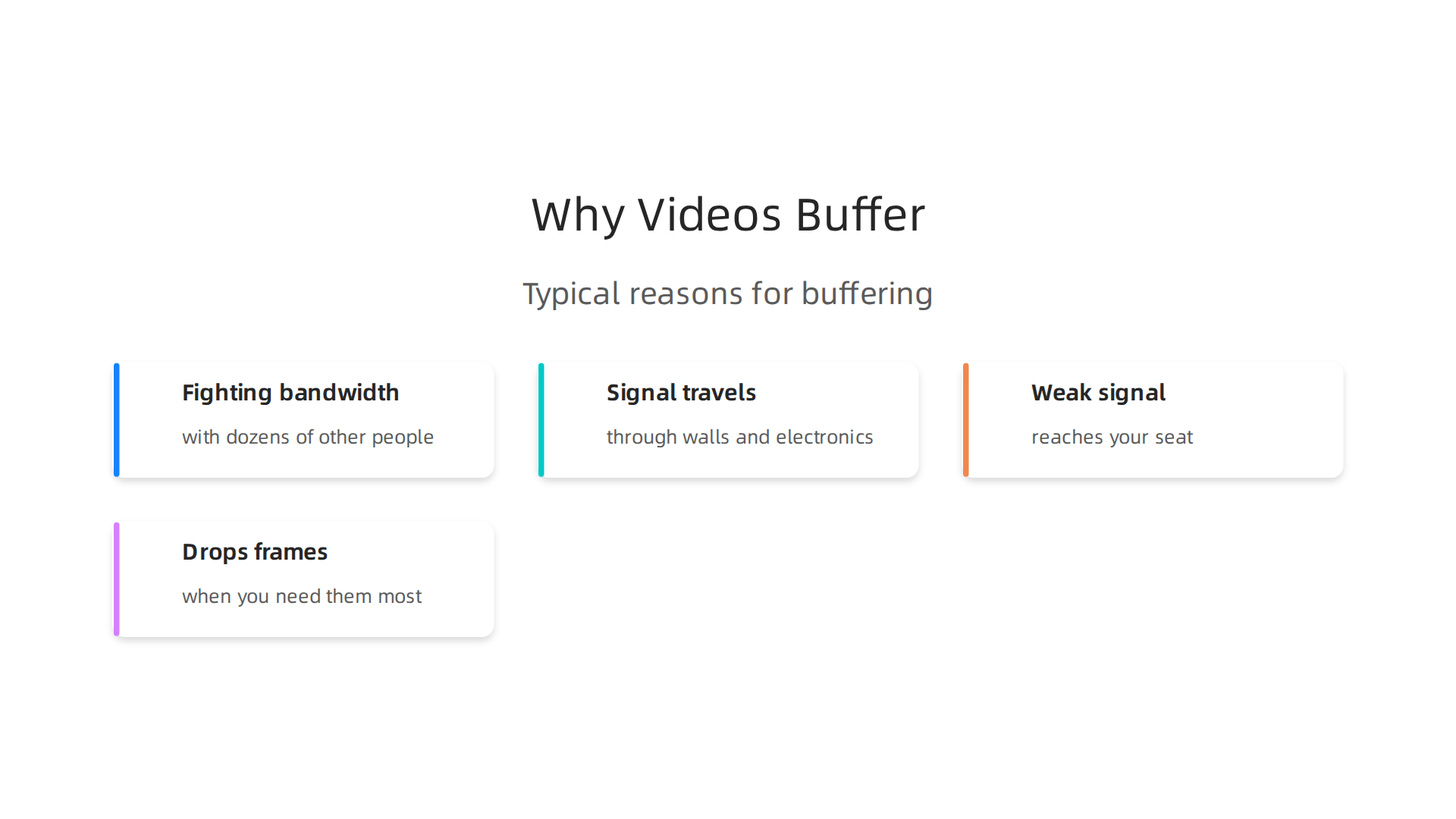
By the time it reaches your seat, it is weak and choppy. Your stream drops frames right when you need them most.
The fix is simple. A portable wifi extender picks up that weak signal and gives it a boost. It creates a fresh, strong connection zone right around your table or couch. No more buffering at the punchline. No more missed laughs.
Think of it as your personal comedy insurance. Whether you are watching a Netflix special, a YouTube compilation, or a live stream from your favorite comedian, a stable connection keeps the timing perfect. You can also pair it with a dedicated mobile hotspot for even better performance. Check out our guide to the best portable hotspot 2026 for streaming stand-up comedy without buffering for a complete setup.
And if you want a guaranteed laugh that never needs a signal at all, grab a copy of Laugh First Today. A ridiculous sci-fi adventure with heart, wit, and zero buffering.
3. The Great WiFi Dead Zone: Where Memes Go to Die
You know the feeling. You walk into the kitchen to grab a snack, and suddenly your TikTok videos stop loading. The bathroom? Forget about it. That meme your friend sent is now a loading circle of doom. And the balcony? You sit down with your coffee, ready to scroll through funny headlines, and the signal just vanishes. These are the places where memes go to die.
Dead zones happen when walls, appliances, or distance block the signal. According to EPB’s guide on fixing dead zones, anything that interferes with WiFi radio waves can create a spot where your connection drops to zero.
You end up staring at a frozen screen instead of a punchline.
But here’s the fix. A portable wifi extender can turn any dead corner into a live comedy zone. It grabs the weak signal from your main router and gives it a boost right where you are. No more standing by the microwave to get bars. No more missing out on the perfect reaction video because you stepped two feet to the left.
Even better, a wifi signal booster like this can follow you around your home. You can take it to the kitchen counter, the bathroom shelf, or the balcony table. It creates a strong wifi space that keeps your memes loading and your videos playing.
Want to make sure your setup works everywhere? Check out our step-by-step guide on how to fix WiFi dead zones with these 10 tips. And if you want a solution you can take on the go, read about the best portable hotspot for streaming stand-up comedy without buffering. Your memes deserve better than a loading screen.
4. How to Become the Host With the Most (WiFi, That Is)
You know that friend whose house everyone loves to visit? The one with snacks, a cozy couch, and WiFi that actually works everywhere. You want to be that friend.
When guests walk through your door, they want to stream their own playlists, scroll memes, and maybe even game together.

If your connection drops every time someone enters the kitchen, you become the host everyone avoids. But with a portable wifi extender, you can change that story.
Here is the thing. A wifi signal booster is simple to set up. According to Consumer Reports, most extenders just plug into an outlet and connect through a mobile app or web browser. No tech degree needed. The best WiFi extender 2026 reviews on YouTube show models like the TP-Link AX3000 that offer top-tier performance for under $100. That is a small price for being the hero of the party.
A portable wifi extender is also small enough to toss in a bag. Bring it to a friend’s barbecue, a family reunion, or even a camping trip. Suddenly, you are the one who brought the good signal. Everyone gathers in your wifi space to watch funny videos together.
Want to make sure your whole home is covered before guests arrive? Check out our full guide on how to fix WiFi dead zones with these 10 tips. And if you need a device you can take anywhere, read about the best portable hotspot for streaming stand-up comedy without buffering.
Because the best hosts don’t just serve great food. They serve great WiFi too.
5. Your Smart Fridge Has Better WiFi Than You – Let’s Fix That
You ever notice something weird? Your smart fridge can stream Netflix without a hiccup, but your laptop buffers during a Zoom call. It is like the appliances unionized and took all the bandwidth. Your thermostat is out there watching 4K cooking shows while you are stuck with a spinning wheel.
Here is the irony. Smart home devices like fridges and thermostats often connect to the 2.4 GHz band. That band is slower but reaches farther. Your laptop and phone want the faster 5 GHz or 6 GHz bands, but those can be weaker in some rooms. So your fridge ends up with a better connection because it is closer to the router or uses a lower frequency.
A portable wifi extender can flip the script. It picks up your router’s signal and sends it further, creating a stronger wifi space right where you work or watch shows. That means your laptop finally gets priority. According to a 2026 review roundup on YouTube, the TP-Link AX3000 WiFi extender is a top pick for performance without breaking the bank. Setup is as easy as plugging it in and using an app. Consumer Reports confirms that most extenders simply plug into an outlet and connect through a mobile app or web browser.
The portable wifi extender also helps you control which devices get the best signal. You can place it near your desk or couch and leave the fridge to fend for itself. No more appliance superiority.
For more tips on balancing your home network, read about funny WiFi disasters that prove your router has a sense of humor. It might make you laugh while you fix things.
So go ahead. Put your smart fridge back in its place. Your laptop will thank you.
6. When You’re Stuck in the Bathroom and Netflix Says ‘Are You Still Watching?’
Let’s be honest. You have done it. You snuck your phone into the bathroom for a quick episode, and then the dreaded spinning wheel appeared. The signal dies right when the punchline drops. Now you are balancing your phone on a towel rack, contorting your neck, and hoping for one bar of signal. It is a universal struggle.
And you are not alone. Mobile devices now account for about 35% of all global streaming traffic, according to a 2026 report from Market.us Scoop, with mobile video streaming growing roughly 27% each year. That means millions of us are trying to watch on the go, even if "on the go" means three feet from the shower.
Here is the fix. A portable wifi extender is small enough to tuck in a pocket or a bathroom drawer. Plug it into an outlet near the bathroom door, and it creates a stronger wifi signal booster right where you need it. No more holding your phone at weird angles. No more buffering during the best scene.
If you want to get serious about never missing a laugh again, you can learn how to get a portable wifi device and never miss a punchline again. It is a simple way to make your entire home feel like a wifi space that works for you.
And once your signal is solid, you might find yourself wanting more good humor to enjoy. If that sounds like you, check out Want More Good Humor? It is a book series made for readers who like funny and thoughtful.
So go ahead. Take that bathroom break with confidence. Your show will wait for you, and thanks to a portable wifi extender, it will actually play.
7. The Tragic Tale of a Video Call Freeze Mid-Joke
Picture this. You are on a video call with your team. The conversation is flowing, and you decide to drop a perfectly timed joke. You see your coworkers start to smile. Then, just as the punchline is about to land, your face freezes. Your mouth is half open. Your eyes are glazed over.
And everyone else? They laugh. They roar at the joke you never got to finish. The moment is gone. Your funny water-cooler moment got killed by a weak signal.
This happens because of wifi dead zones. A dead zone is an area where the signal is weak or drops out completely, even though you should have coverage. As TP-Link explains, it is an area where your devices fail to connect, even though the router is nearby. These dead spots can be caused by walls, distance, or interference from other electronics.
For remote workers, bad wifi does more than freeze your face. It kills team morale. The little jokes and shared laughs that build connection get lost in a buffering circle. A quick chat becomes a frustrating game of "Can you hear me now?"
The fix is simple. A portable wifi extender placed near your workspace can turn a dead zone into a strong signal zone. Plug it in, run a quick setup, and suddenly your video calls stay smooth. No more frozen faces. No more missing the punchline.
If you want to learn more about fixing dead zones, check out this guide on how to fix wifi dead zones with these 10 tips for a stronger signal. It walks you through the easiest ways to improve coverage.
And for a visual rundown of the best extenders right now, you can watch this Best Wi-Fi Extenders 2026 video which compares top models.
Once you fix your signal, you will be the one landing the jokes again. The team will laugh with you, not at your frozen face. That is a win.
8. Why Your Kids’ Forts Have Better Signals Than Your Office
Here is a mystery that will never be solved. Your kids build a pillow fort in the corner of the living room. Inside that fort, they get five bars of wifi. They stream videos without a single glitch.
Meanwhile, you sit at your desk just 15 feet away. Your video call keeps freezing. Your connection drops in and out. You are stuck in a dead zone.
It does not make sense. But actually, it does. Kids’ devices often hog bandwidth without you even realizing it. According to TP-Link, a wifi dead zone is simply an area where your devices fail to connect even though the router is nearby. The fort is closer to the router. The couch, the wall, or the cabinet between your desk and the router blocks the signal.
The funny part? Your kids don’t care. They just want their cartoons.
But you need to work. So how do you fix this? A portable wifi extender is the perfect answer. Because it is small and easy to move, you can bring it exactly where you need it. Plug it in near your desk, and suddenly your office has strong signal too.
As EPB explains, anything that interferes with wifi radio waves produces a dead spot. But a good extender pushes the signal past those obstacles. You can finally take back your workspace.
Want to learn more about reclaiming your wifi space? Check out this guide on how to get a portable wifi device and never miss a punchline again. It shows you exactly how a small device can turn your dead zone into a strong zone.
And before you know it, your office will have better signal than the pillow fort. The kids might even ask to work in your room instead. That would be a plot twist.
9. The Secret to Getting Full Bars in Your Backyard Hammock
Summer is here in 2026. You finally bought that hammock. You have a cold drink in hand. You are ready to watch some comedy videos in the backyard.

There is just one problem. Your wifi signal stops at the back door.
You try to stream a stand-up special. The video buffers. The sound cuts out. You end up staring at a spinning wheel instead of laughing.
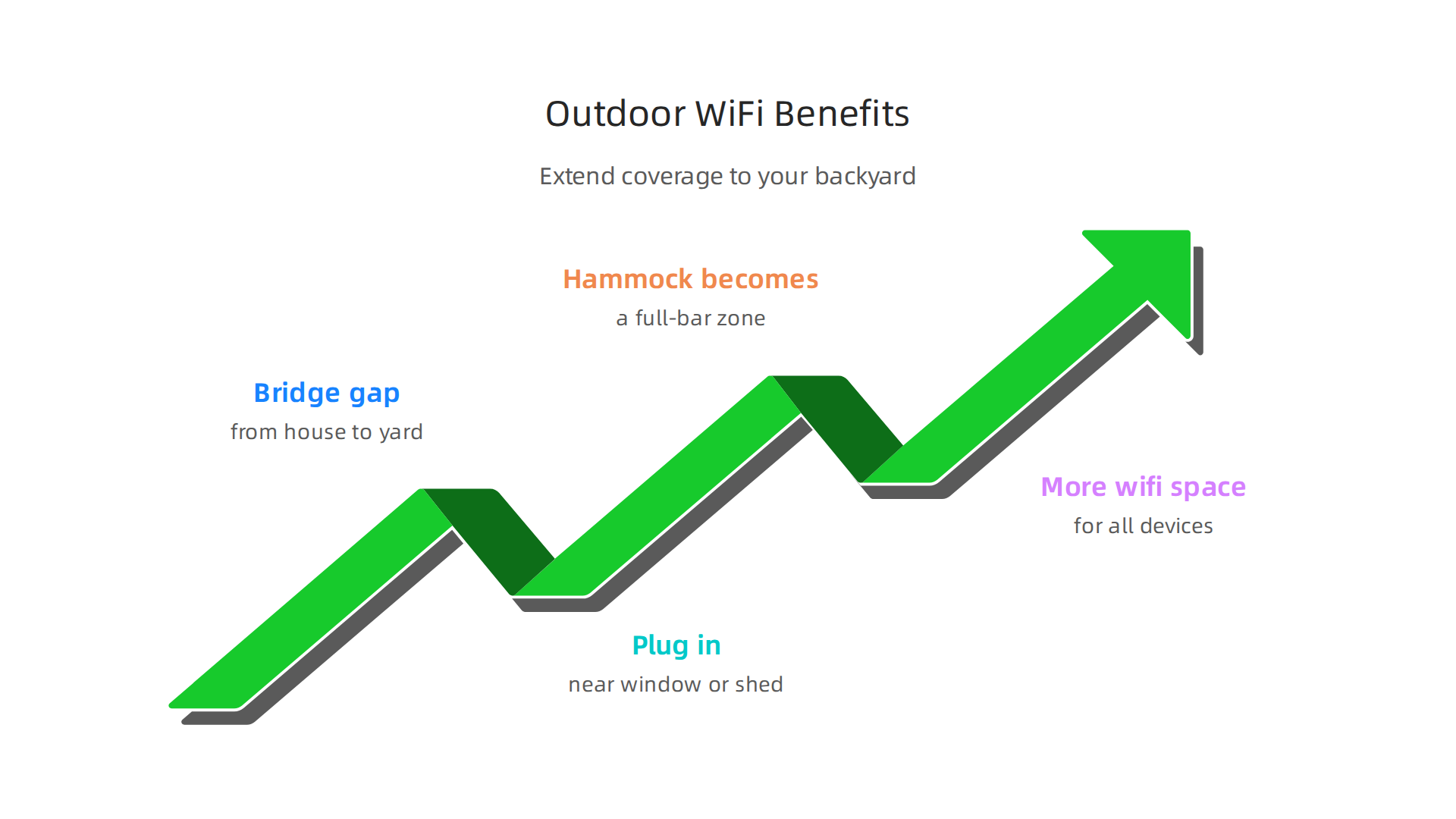
Here is the secret. A portable wifi extender can bridge the gap from your house to your yard. You plug it in near a window or in a shed. Suddenly, your hammock becomes a full-bar zone.
Consumer Reports tested several wifi range extenders. They found that these devices really do help with spotty internet according to this report. You do not need a fancy setup either. Most extenders work right out of the box.
A portable wifi extender is small and easy to move. You can take it from the backyard to the patio to the garage. It gives you more wifi space for all your devices. Think of it as a wifi signal booster that follows you where you go.
So go ahead. Hang that hammock. Grab your phone. Stream your favorite comedy without interruptions. Summer laughs are finally possible outdoors.
If you want to fix other dead spots around your home, check out this guide on how to fix wifi dead zones with simple tips. It will help you get strong signal everywhere.
Now get outside and enjoy the show. Your backyard is no longer a wifi desert.
10. How a Portable WiFi Extender Saved My Sanity (and My Relationship)
I will never forget that Friday night. My partner and I had planned a cozy date. We grabbed snacks, got under a blanket, and opened Netflix to watch a new stand-up comedy special. The first joke landed. We both laughed. Then the screen froze.
"What did you do?" my partner asked.
"Me? The wifi is fine on my phone."
"It is not fine. The buffering wheel is right there."
We argued for five minutes over whose fault it was. The punchlines kept cutting out. We were not laughing anymore. The tension was real.
Here is the thing. That night I ordered a portable wifi extender. I plugged it in near the living room window. It took two minutes for the tp link wifi extender setup to work. Suddenly we had full wifi space in the whole living room. No more buffering. No more blaming each other. The jokes flowed again.
Science backs up what happened next. Studies show that sharing a laugh makes people feel closer and strengthens relationships. That is a huge reason laughter is so good for us. With the extender, we finally got to laugh together again.
Now we stream comedy specials every weekend. The portable wifi extender is our peacekeeper. If you want to never miss a punchline with the people you love, check out this guide on how to get a portable wifi device and never miss a punchline again. It will save your date nights too.
And if you want more laughs beyond the screen, try some good humor that keeps the smiles going. A shared laugh is the best wifi upgrade you can get.
Summary
This article explains how a portable WiFi extender solves common WiFi frustrations—buffering during comedy specials, dead zones around the house, weak coffee-shop connections, and frozen video calls. It walks through everyday scenarios where an extender helps (backyards, bathrooms, home offices, kids’ forts) and shows why these small, plug-in devices are often the quickest, cheapest fix to expand your WiFi space. You’ll learn when to use an extender versus a hotspot or mesh system, simple setup steps (plug in, use the app, place midway to dead zones), and practical placement tips so your laptop, phone, and streaming device get a stable signal. Read on to stop missing punchlines and make your home and on-the-go WiFi reliable again.